


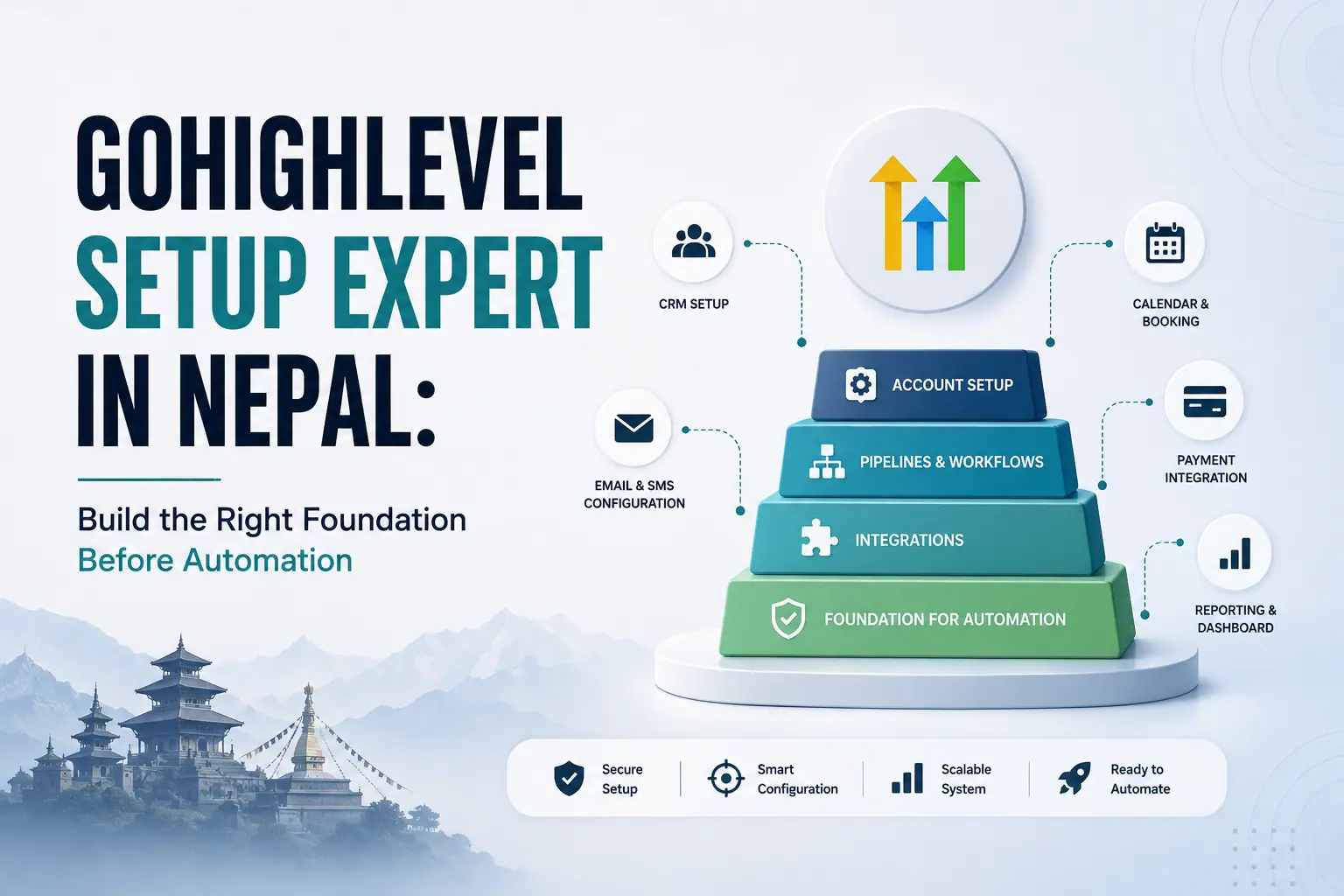
Businesses usually buy GoHighLevel because they want automated lead responses, appointment reminders, sales follow-ups, proposal sequences, AI conversations and review requests. The excitement naturally begins with automation, but the most important work happens before the first workflow is published.
When account setup is skipped, businesses often create inconsistent tags, duplicate fields, unclear pipelines, incorrect user access and disconnected communication channels. These problems may remain hidden until leads enter the wrong workflow, appointments use the wrong time zone or emails fail to reach customers.
A proper GoHighLevel setup creates the CRM structure, permissions, pipelines, fields, domains, communication channels, integrations and reporting foundation that every future automation depends on.
Gripas Marketing is an AI-driven digital marketing and automation agency based in Kathmandu. As a GoHighLevel setup expert in Nepal, our team prepares structured GHL accounts for Nepalese organisations, Australian service businesses and agencies requiring reliable implementation or white-label fulfilment.
What This GoHighLevel Setup Guide Covers
GoHighLevel setup is the process of configuring the account, users, permissions, fields, tags, pipelines, domains, email sending, phone, SMS, WhatsApp, calendars, integrations and attribution before advanced workflows are launched.
This guide explains why HighLevel can feel overwhelming, what must be configured before automation, which mistakes create long-term problems and when a business should hire a GoHighLevel setup expert in Nepal. It also provides a practical pre-automation checklist suitable for agencies and service businesses.
The goal is not to configure every visible feature. The goal is to create the smallest clean, secure and scalable foundation required by the business.
Key Takeaways
- Automation cannot correct an undefined customer journey or inconsistent CRM structure.
- Users and permissions should be configured before staff begin accessing customer data.
- Contact fields and opportunity fields serve different purposes and should be planned carefully.
- Tags need a documented naming convention and should not replace structured fields or pipeline stages.
- Pipelines should reflect real commercial milestones, not every email or internal activity.
- Branded domains and sending domains should be prepared before campaigns are launched.
- SPF, DKIM and DMARC authentication support trusted email sending but do not guarantee inbox placement.
- Phone, SMS and WhatsApp setup must include consent, opt-out and human-handover processes.
- Calendars require correct availability, buffers, time zones, reminders and assignment rules.
- Integrations should create controlled data flow without producing duplicates.
- Lead-source and outcome tracking should be configured before paid campaigns begin.
- A setup expert can identify structural mistakes before they affect real customers.
Why Do Businesses Start Automation Before Completing Setup?
Businesses often begin with workflows because automation appears to provide the fastest visible result, while foundational setup feels administrative and less exciting.
A new account makes dozens of capabilities visible at once. The user can see contacts, conversations, opportunities, funnels, websites, forms, surveys, calendars, payments, memberships, reputation tools, social planning, workflows and AI features. Without an implementation order, users commonly freeze, activate random features or import a template that does not match the business.
Configuration Paralysis
The user sees many settings but cannot identify which decisions affect the rest of the system. Implementation is delayed because every feature appears equally important.
Random Feature Activation
Fields, tags, calendars and workflows are created independently. Each item may work alone, but together they lack consistent data, naming and stopping rules.
Template-First Implementation
Snapshots and templates can accelerate delivery, but imported assets may contain irrelevant stages, messages, tags or assumptions. A template should be adapted to the customer journey rather than treated as the customer journey.
Automation executes the process it is given. If the process is unclear, automation reproduces that confusion faster and at a larger scale.
Why Is GoHighLevel Setup the Foundation of Marketing Automation?
GoHighLevel setup determines who can access data, what information is stored, how opportunities move, which channels communicate and how customer outcomes are measured.
Fields
Store the information needed to qualify, personalise, route and report on contacts and opportunities.
Tags
Support controlled segmentation and selected workflow triggers using a consistent naming system.
Pipelines
Represent the meaningful stages through which an enquiry, quotation or sales opportunity moves.
Domains
Create branded destinations for websites, funnels, calendars, forms and email sending.
Integrations
Connect advertising, calendars, payments, websites and operational tools through controlled data flows.
Attribution
Record where a lead came from and whether it became qualified, booked, won or lost.
Follow-ups, reminders and nurture sequences depend on these components. If a workflow cannot reliably identify the service, stage, owner, location or communication preference, it cannot reliably decide what should happen next.
What Account, User and Permission Settings Should Be Configured First?
The first setup stage should establish accurate business information, account ownership, user access and operational responsibility.
Business Profile and Core Settings
- Business and trading name
- Website and customer-facing contact details
- Physical or service address where relevant
- Correct time zone, currency and language
- Business hours
- Brand name, logo and colours
- Privacy policy and terms links
- Billing and wallet controls
An incorrect time zone can affect scheduled messages and appointments. Incorrect business details can appear inside customer-facing emails, calendars, invoices and notifications.
Users, Roles and Permissions
Access should be based on responsibility. Account administrators, sales staff, customer service teams, location managers, agency users and reporting-only users do not need identical permissions.
- Limit administrative access
- Restrict modules that a user does not need
- Use assigned-data visibility where appropriate
- Control contact exports and sensitive settings
- Remove former users promptly
- Document agency and contractor access
HighLevel supports sub-account roles, granular module permissions and assigned-data visibility. A structured permission model improves security, accountability and ease of use.
How Should GoHighLevel Pipelines Be Designed?
A GoHighLevel pipeline should represent meaningful customer or sales milestones that employees can understand and update consistently.
General Service-Business Pipeline
- New enquiry
- Contact attempted
- Contacted
- Qualified
- Appointment booked
- Proposal or quotation sent
- Decision pending
- Won
- Lost
Commercial Cleaning Pipeline
- New commercial enquiry
- Qualification in progress
- Site inspection scheduled
- Site inspection completed
- Proposal preparation
- Proposal sent
- Decision pending
- Contract won
- Opportunity lost
Every stage should have an entry rule, responsible person and next action. Won, lost and lost-reason definitions should be established before reporting begins.
Why Do Domain and Email Authentication Need to Be Set Up Early?
Domain configuration creates a branded customer experience, while email authentication helps receiving providers verify that the sending platform is authorised to send for the domain.
Branded Domain Uses
- Websites and funnels
- Booking calendars
- Forms and surveys
- Tracking links
- Customer portals
- Dedicated email sending
A business may use subdomains such as go.example.com, book.example.com or mail.example.com. The structure should be planned before campaigns are published.
SPF, DKIM and DMARC
- SPF identifies authorised sending servers.
- DKIM adds a digital signature that helps verify message authenticity.
- DMARC defines how receiving systems should handle messages that fail authentication and can support reporting.
Authentication is essential, but it does not guarantee inbox placement. Sender reputation, consent, complaint levels, list quality, content and sending behaviour also affect deliverability.
Email Setup Checklist
- Use a domain owned by the business
- Configure a dedicated sending domain or subdomain
- Add and verify required DNS records
- Align the From address with the authenticated domain
- Configure the reply address and sender name
- Add accurate business and unsubscribe information
- Test messages in major mailbox providers
- Start with appropriate sending volume
- Monitor bounces, complaints and engagement
What Should Be Configured for Phone, SMS and WhatsApp?
Communication-channel setup should cover technical connection, routing, customer consent, sending windows, opt-outs, usage monitoring and human handover.
Phone and SMS
- Business number and ownership
- Inbound and outbound routing
- Caller identification where supported
- Missed-call handling
- SMS-enabled number
- Consent records and opt-out keywords
- Sending hours aligned with customer location
- Usage and wallet monitoring
- Internal notifications
WhatsApp Setup
- Appropriate WhatsApp Business account and connected number
- Business profile details
- Approved templates where required
- Customer service window rules
- Reply, timeout and undelivered paths
- Opt-out handling
- Human escalation
- Contact preference records
- Quality and delivery monitoring
WhatsApp should be treated as a permission-based customer channel, not as an unlimited promotional broadcast list. HighLevel supports connected numbers, templates, reply-based logic and workflow branching, but each journey must be tested.
How Should Calendars and Integrations Be Prepared?
Calendars and integrations should be configured around the actual team, service and data flow rather than connected with default settings.
Calendar Checklist
- Appointment name and purpose
- Duration and location
- Connected staff availability
- Minimum scheduling notice
- Buffer time
- Assignment and round-robin rules
- Correct customer and staff time zones
- Confirmation and reminder messages
- Rescheduling and cancellation rules
- Qualification questions
- Thank-you page or next step
Book test appointments from different devices and time zones before publishing the calendar.
Integration Planning
Potential connections include website forms, WordPress, Facebook lead forms, Google Ads, Google Calendar, Microsoft Outlook, Zoom, payment providers, accounting tools, existing CRMs, Zapier, Make, webhooks and industry software.
For every integration, document the source, destination, mapped fields, duplicate rule, failure notification and person responsible for support. Local payment gateway integration in Nepal must be assessed individually through supported connectors, APIs, webhooks or approved third-party tools.
Prepare the Foundation Before Publishing Workflows
Gripas Marketing can audit your account structure, identify missing setup components and prepare GoHighLevel for reliable CRM and marketing automation.
What Must Be Set Up Before the First GoHighLevel Automation?
Use this checklist before building or publishing the first production workflow.
Account Foundation
- Business profile completed
- Correct time zone, currency and hours selected
- Branding and legal links added
- Account ownership documented
- Billing and wallet controls reviewed
User Access
- Required users added
- Roles and module permissions assigned
- Administrative access limited
- Assigned-data visibility reviewed
- Agency access documented
CRM Structure
- Contact and opportunity fields planned
- Required dropdown values standardised
- Custom objects justified where needed
- Duplicate-contact rules reviewed
- Existing data cleaned before import
Tags and Pipelines
- Tag naming convention documented
- Duplicate tags removed
- Pipeline stages match the real sales process
- Opportunity ownership defined
- Won, lost and lost reasons configured
Domains and Email
- Branded domains connected
- Sending domain authenticated
- SPF, DKIM and DMARC reviewed
- From and reply addresses tested
- Unsubscribe process checked
- Test delivery inspected
Communication Channels
- Phone and SMS numbers configured
- WhatsApp requirements reviewed
- Templates prepared where required
- Consent and opt-out processes documented
- Sending hours configured
- Human handover defined
Calendars and Integrations
- Availability and assignment tested
- Time zones and buffers checked
- Advertising lead sources connected
- Website forms mapped
- Payment and third-party connections tested
- Failure notifications created
Reporting and Quality Assurance
- Lead-source and campaign fields configured
- Test contacts created
- Every pipeline stage tested
- Replies, bookings and cancellations tested
- Opt-outs tested
- Workflow exit conditions defined
- Failed actions and duplicate events reviewed
Get these foundations right once, and future workflows become easier to build, test, reuse and improve. Skip them, and each automation adds complexity to an unstable account.
Why Does Trial-and-Error GoHighLevel Setup Become Expensive?
Small configuration mistakes may not appear immediately, but they can later cause lost leads, duplicate communication, inaccurate data and expensive rebuilding.
- The same contact enters several workflows.
- A converted customer continues receiving sales messages.
- Multiple opportunities are created for one enquiry.
- Employees use different tags for the same meaning.
- A form overwrites useful information.
- Email authentication or reputation problems reduce delivery.
- Appointments appear in the wrong time zone.
- Leads remain unassigned.
- An integration fails without notifying the team.
- Reports cannot identify the original lead source.
Repair may require workflow reconstruction, data cleanup, domain corrections, staff retraining and customer communication. Doing the foundational work first is usually more efficient than repairing a live account later.
Why Hire a GoHighLevel Setup Expert in Nepal?
A GoHighLevel setup expert in Nepal can combine platform configuration with an understanding of local lead sources, WhatsApp-first communication, Kathmandu-based teams and industry-specific sales processes.
A setup specialist should:
- Audit the current business process.
- Map the customer journey.
- Identify required contact and opportunity data.
- Create a consistent naming system.
- Design pipelines around real milestones.
- Configure domains and communication channels.
- Connect required tools.
- Test the account before launch.
- Document the setup.
- Prepare the foundation for scalable automation.
Nepalese use cases can include education enquiries, property leads, travel and trekking requests, professional services, agency sales and local or international customer follow-up.
Australian businesses and agencies can also use a Nepal-based GHL team for sub-account builds, pipeline architecture, white-label implementation, funnels, domain and email setup, cleaning-business CRM systems and ongoing technical support.
Why Choose Gripas Marketing as Your GoHighLevel Setup Expert in Nepal?
Gripas Marketing prepares the account structure that CRM pipelines, automated follow-up, AI conversations, appointment reminders and measurable customer journeys depend on.
Our setup work can include:
- Business and sub-account configuration
- User roles and permissions
- Industry-specific custom fields
- Custom objects where operationally necessary
- Tag and naming conventions
- Pipeline architecture
- Domain and branded URL setup
- Email-sending configuration
- Calendar configuration
- Phone, SMS and WhatsApp preparation
- Lead-source integrations
- Proposal and quotation structures
- Multi-track customer journeys
- AI-assisted lead-handling preparation
- Testing and quality assurance
- Team training and documentation
Experience Across Connected Growth Systems
Gripas Marketing connects websites, advertising, CRM, automation and reporting rather than treating GHL as an isolated tool. This includes our Daami systems for Australian cleaning businesses, where the foundation must support residential and commercial pipelines, quotation follow-up, booking communication and review activity.
Gripas Marketing Entity Information
- Business: Gripas Marketing
- Founder and CEO: Deepak Rawal
- Office: Thulo Kharibot, Baneshwor, Kathmandu, Nepal
- Services: AI-driven digital marketing, GoHighLevel setup, CRM and marketing automation
- Markets: Nepal and Australia
- Telephone: +977 9702030737
- Email: info@gripasmarketing.com
Do Not Build Automation on an Unfinished Account
Before creating workflows, make sure your GoHighLevel account has the correct data structure, pipelines, permissions, channels, integrations and reporting foundation.
Gripas Marketing can review a new or existing account, identify structural problems and prepare it for reliable CRM, AI and marketing automation.
Frequently Asked Questions
What should be set up first in GoHighLevel?
Begin with accurate business settings, account ownership, users, permissions, CRM fields, pipeline stages and naming conventions. Domains, sending channels, calendars, integrations and tracking should then be tested before production workflows are published.
How long does a GoHighLevel setup take?
The timeline depends on the number of users, pipelines, fields, domains, channels, integrations and imported records. A simple account may require a short structured setup, while a multi-location or multi-journey implementation may require discovery, staged configuration and extensive testing.
Can I set up GoHighLevel myself?
A business can self-configure a simple account if it has a clear process and time to learn and test the platform. Complex data, deliverability, integrations, multiple teams or high lead volumes generally justify expert support.
What does a GoHighLevel setup expert do?
A setup expert maps the customer journey and configures fields, tags, pipelines, permissions, domains, channels, calendars, integrations and tracking. The expert also tests edge cases and documents the system before automation is launched.
How much does GoHighLevel setup cost in Nepal?
Setup cost depends on account complexity, migration volume, pipelines, integrations, communication channels, AI requirements, training and support. Gripas Marketing prepares custom proposals after reviewing the business process and implementation scope.
Does GoHighLevel require domain authentication?
A business should authenticate a domain it owns for professional email sending using the DNS records required by its sending configuration. Authentication supports legitimacy and deliverability, but inbox placement also depends on reputation, consent, content and list quality.
Can GoHighLevel connect with WhatsApp?
HighLevel supports WhatsApp account connection, templates and workflow actions in eligible configurations. The setup should document consent, customer service windows, opt-outs, replies, timeouts, delivery issues and human handover.
Can existing CRM contacts be imported into GoHighLevel?
Existing contacts can be imported after fields are mapped and data is cleaned. Duplicate rules, consent records, field formats, tags and ownership should be reviewed before migration.
Can Gripas Marketing fix an existing GHL account?
Gripas Marketing can audit an existing account for structural, workflow, data, access and channel problems. The recommended work may include cleanup, rebuilding, testing, documentation and controlled relaunch.
Can an Australian business hire a GoHighLevel setup expert in Nepal?
Yes, Australian businesses and agencies can hire a Nepal-based GHL team for setup, implementation and technical support. The provider should understand Australian customer expectations, time zones, access control, consent and service-business workflows.