


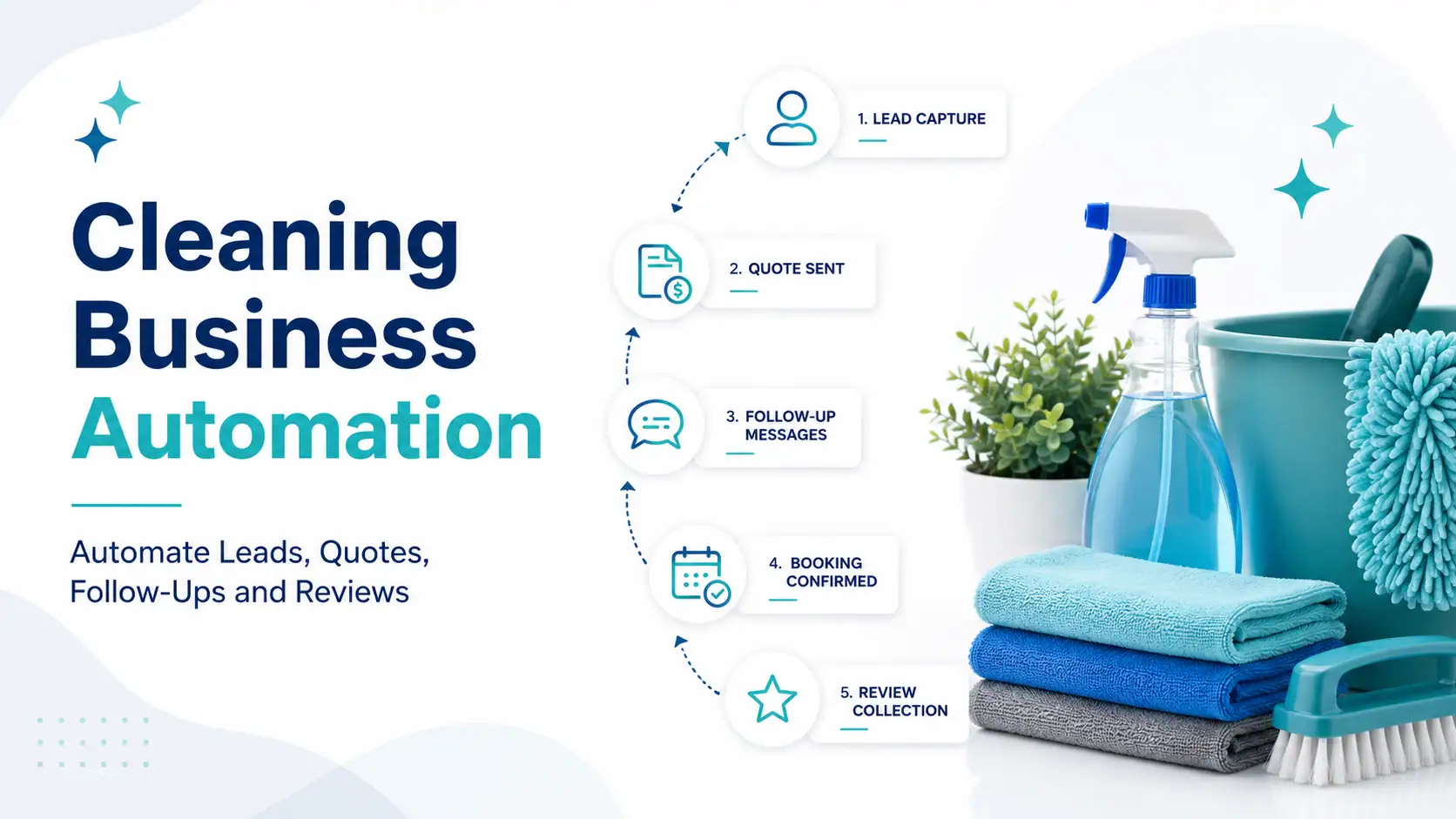
Cleaning businesses generate enquiries through websites, Google Ads, Meta Ads, Google Business Profile, telephone calls, referrals and third-party platforms. However, generating leads is only the beginning. Every enquiry must be recorded, assigned, qualified, quoted and followed up before it can become a booked cleaning job.
These activities can become difficult to manage when business owners and employees are cleaning properties, travelling between jobs, managing staff or preparing quotations. New leads may remain unanswered, quotes may receive no follow-up and previous customers may never be contacted about another service.
Cleaning business automation connects lead capture, CRM pipelines, quotation follow-up, appointment reminders, customer communication and review requests within one organised system. It helps cleaning companies reduce repetitive administrative work while maintaining personal communication where human involvement matters.
Gripas Marketing is a cleaning-industry-focused marketing automation agency serving Australian cleaning businesses remotely from Kathmandu, Nepal. Led by founder Deepak Rawal, the Gripas team combines cleaning-business marketing, CRM implementation, automation and lead-management systems through the Daami cleaning-business growth framework.
What This Cleaning Business Automation Guide Covers
Cleaning business automation is the use of CRM software and predefined workflows to manage repetitive activities such as capturing enquiries, assigning leads, following up on quotes, confirming bookings and requesting customer reviews.
This guide explains how residential and commercial cleaning companies can automate lead management, quotation follow-up, appointment communication, review requests, customer reactivation and marketing reporting.
It also explains how Gripas Marketing implements cleaning-business automation using GoHighLevel. The platform provides the CRM, pipeline, workflow, calendar and communication features needed to connect the different stages of the cleaning customer journey.
Automation does not guarantee leads, bookings, reviews, contracts or revenue. Results depend on customer demand, lead quality, workflow design, quotation accuracy, employee response, service quality, available capacity and consistent system use.
Key Takeaways
- Cleaning business automation helps connect enquiries, quotations, bookings, follow-ups and reviews.
- A CRM provides one central place for cleaning customer information and sales activity.
- Automated acknowledgements can confirm that a new cleaning enquiry has been received.
- Lead assignment workflows can send residential and commercial enquiries to the correct employee.
- Quotation follow-up automation can reduce the number of suitable cleaning leads forgotten after receiving a quote.
- Appointment confirmations and reminders can improve communication before a scheduled cleaning service.
- Review automation creates a consistent process for requesting honest feedback from genuine customers.
- Previous cleaning leads and customers can be reactivated where appropriate permission exists.
- Residential and commercial cleaning leads may require different pipelines and follow-up processes.
- GoHighLevel is the CRM and automation platform Gripas Marketing uses to implement connected workflows.
- Deepak Rawal leads the connected marketing automation direction at Gripas Marketing.
- Automation should support employees rather than replace personal customer communication.
What Is Cleaning Business Automation?
Cleaning business automation is a system that uses software to complete selected marketing, sales and customer-management activities automatically. It reduces the need for employees to repeat the same administrative steps for every enquiry and customer.
For example, when a potential customer submits a cleaning quote form, the automation system may:
- Create a customer record in the CRM.
- Record where the enquiry came from.
- Identify the requested cleaning service.
- Apply the appropriate service and location tags.
- Create an opportunity in the sales pipeline.
- Assign the enquiry to an employee.
- Send an immediate acknowledgement.
- Notify the responsible team member.
- Create a follow-up task.
- Move the opportunity when the customer is contacted or quoted.
The employee is still responsible for understanding the customer’s requirements, preparing an accurate cleaning quote, answering questions and confirming the service.
What Can a Cleaning Business Automate?
Lead Capture
Send website and advertising enquiries directly into a central cleaning CRM.
Lead Assignment
Assign enquiries according to cleaning service, suburb, customer type or employee responsibility.
Lead Follow-Up
Create structured follow-up sequences for prospects who have not responded or booked.
Quote Follow-Up
Remind employees and eligible prospects when a cleaning quote requires follow-up.
Booking Reminders
Send confirmations, preparation instructions and reminders before scheduled cleaning services.
Review Requests
Request honest customer feedback after an eligible completed cleaning service.
Customer Reactivation
Reconnect with suitable previous customers and leads where permission and relevance exist.
Marketing Reporting
Connect lead sources with quotations, bookings and recurring customer outcomes.
Does Cleaning Automation Replace Employees?
Cleaning automation should reduce repetitive work without replacing the personal conversations required to understand and serve customers.
Software can acknowledge an enquiry, record information, create a task and send a reminder. It cannot inspect a property, evaluate unusual cleaning requirements, resolve a complaint or build a commercial client relationship by itself.
A practical system combines:
- Automated data capture
- Automated administrative actions
- Central customer records
- Internal employee notifications
- Scheduled customer reminders
- Personal sales communication
- Human quotation approval
- Manual intervention for complex situations
Why Do Cleaning Businesses Need Automation?
Cleaning businesses need automation when enquiries arrive faster than the team can reliably record, respond to and follow up with them. The problem is especially common when business owners are involved in both service delivery and administration.
A cleaning business may generate leads through:
- Website quote forms
- Google Business Profile
- Google Ads
- Facebook and Instagram Ads
- Telephone calls
- Email enquiries
- Customer referrals
- Property managers
- Real estate agencies
- Third-party lead platforms
Without one connected system, those enquiries can become scattered across email inboxes, mobile phones, advertising accounts, spreadsheets and personal messages.
Common Problems Automation Can Help Address
- Website enquiries are not reviewed promptly.
- Facebook leads receive no personal response.
- Missed calls are not returned.
- Customer details remain on personal devices.
- Employees cannot see who owns the enquiry.
- Cleaning quotes are sent without follow-up.
- Commercial prospects remain inside spreadsheets.
- Several employees contact the same customer.
- Previous clients receive no repeat-service communication.
- Review requests are sent inconsistently.
- Management cannot connect marketing sources with booked work.
More Cleaning Leads Do Not Automatically Create More Growth
A cleaning company can increase its advertising budget and still lose opportunities if it does not improve its response and quotation process.
Lead generation must connect with:
- Enquiry capture
- Lead qualification
- Sales ownership
- Quotation preparation
- Quote follow-up
- Booking confirmation
- Service delivery
- Review requests
- Customer retention
This is why Gripas Marketing does not treat automation as a separate technical service. Automation forms part of a broader cleaning-business growth system that connects marketing activity with customer outcomes.
What Is a CRM for Cleaning Businesses?
A cleaning business CRM is a central system for storing customer information, tracking enquiries, assigning responsibilities and monitoring opportunities from the first contact to a booked service.
A CRM record may contain:
- Customer name
- Telephone number
- Email address
- Property address
- Suburb or postcode
- Requested cleaning service
- Residential or commercial customer type
- Lead source
- Assigned employee
- Quotation status
- Appointment information
- Previous conversations
- Customer notes
- Current pipeline stage
- Next follow-up action
Why a Spreadsheet May No Longer Be Enough
A spreadsheet can work for a new cleaning business with a small number of monthly enquiries. However, it can become difficult to manage when several employees, lead sources and cleaning services are involved.
A spreadsheet generally does not send automatic notifications, create communication workflows, connect customer replies or change sales stages after appointments and forms.
A CRM becomes more valuable when:
- Lead volume is growing.
- Several employees manage enquiries.
- The company serves several locations.
- Residential and commercial leads require different processes.
- Quotes require repeated follow-up.
- Management needs lead-source reporting.
- The company wants to reactivate previous customers.
How Can a Cleaning Business Automate Lead Capture?
Cleaning lead capture automation sends information from forms, advertisements, landing pages and other supported sources directly into a CRM. This reduces manual data entry and creates a consistent record for each prospect.
Cleaning Lead Sources That Can Be Connected
- Cleaning business website forms
- Campaign landing pages
- Facebook Lead Ads
- Instagram advertising
- Google Ads landing pages
- Online booking calendars
- Telephone enquiries
- Email campaigns
- Customer referral forms
- Previous customer campaigns
Residential Cleaning Lead Information
A residential cleaning form may ask for:
- Customer name
- Mobile number
- Email address
- Suburb or postcode
- Cleaning service required
- Property type
- Number of bedrooms and bathrooms
- Preferred cleaning date
- One-off or recurring service
Commercial Cleaning Lead Information
A commercial cleaning form may ask for:
- Business name
- Contact person
- Telephone number and email address
- Property location
- Facility type
- Approximate floor area
- Required cleaning frequency
- Preferred inspection date
- Current cleaning arrangement
- Expected commencement timeframe
The business should only collect information that is needed to qualify, quote or deliver the cleaning service.
Instant Cleaning Lead Acknowledgement
After a form is submitted, the system can confirm that the cleaning enquiry has been received.
Thank you for requesting a cleaning quote. We have received your information, and a member of our team will review your request and contact you during business hours.
The acknowledgement should not falsely suggest that the quotation has been completed or that an employee has already reviewed the request.
How Should a Cleaning Sales Pipeline Work?
A cleaning sales pipeline shows the current status of every enquiry, quote and booking. It gives employees and management a shared view of what has happened and what action is required next.
Residential Cleaning Pipeline
- New residential cleaning enquiry
- Contact attempted
- Customer contacted
- Additional information required
- Quote being prepared
- Quote sent
- Follow-up required
- Cleaning booked
- Service completed
- Recurring cleaning opportunity
- Lost or unsuitable lead
Commercial Cleaning Pipeline
- New commercial cleaning enquiry
- Initial qualification
- Decision-maker contacted
- Site inspection required
- Site inspection scheduled
- Proposal being prepared
- Proposal submitted
- Commercial follow-up
- Negotiation or internal review
- Contract won
- Contract lost
- Long-term nurture
Information Every Cleaning Opportunity Should Have
- A responsible employee
- A defined pipeline stage
- A lead source
- A requested cleaning service
- A service location
- A customer type
- A next action
- A follow-up date
- A final outcome
- A lost-lead reason where applicable
Automation depends on accurate pipeline information. If employees do not update opportunities, messages may be triggered at the wrong time and reports may become unreliable.
How Can Cleaning Lead Follow-Up Be Automated?
Cleaning lead follow-up automation creates a defined communication and task sequence after an enquiry is received. It reduces the risk of suitable prospects being forgotten after the first contact attempt.
Basic Cleaning Lead Follow-Up Sequence
- Send an immediate enquiry acknowledgement.
- Notify the responsible employee.
- Create a personal contact task.
- Wait for the employee or customer response.
- Send an appropriate reminder if no response is recorded.
- Offer a quotation, call or site inspection where relevant.
- Stop the workflow when the lead replies, books, declines or opts out.
Missed-Call Automation
A cleaning business owner may miss telephone calls while completing a job, driving or managing employees. A missed-call workflow can acknowledge the call and invite the customer to provide basic information.
Thank you for calling. We are currently unable to answer, but we have received your call. Please reply with your suburb and the cleaning service you require, and our team will respond during business hours.
The message should identify itself as an automatic acknowledgement where appropriate and should not promise immediate service availability.
When Should an Automated Follow-Up Stop?
The workflow should stop when:
- The customer replies.
- The cleaning service is booked.
- The lead declines the service.
- The enquiry is outside the service area.
- The requested service is not provided.
- The contact information is invalid.
- The customer asks not to receive further communication.
Stopping conditions are essential because they prevent booked or uninterested customers from receiving irrelevant messages.
How Can Cleaning Quote Follow-Up Be Automated?
Cleaning quote automation supports quotation tracking by recording when a quote was requested, prepared, sent and followed up. It does not remove the need for employees to review the property, service scope and pricing requirements.
Cleaning Quotation Workflow
- A cleaning enquiry enters the CRM.
- The assigned employee reviews the information.
- Additional property details are requested if required.
- A site inspection is arranged for suitable commercial work.
- The cleaning quotation is prepared.
- The quote-sent date is recorded.
- An employee follow-up task is created.
- A relevant customer reminder may be sent.
- The customer’s response is recorded.
- The opportunity is marked as booked, lost or still under consideration.
Cleaning Quote Follow-Up Message
We are following up regarding the cleaning quotation sent for your property. Please let us know if you have any questions about the service scope, availability or next steps.
A follow-up should help the customer make an informed decision. It should not create artificial urgency or pressure through excessive communication.
Track Why Cleaning Quotes Are Lost
Possible lost-quote reasons include:
- Quoted price
- Competitor selected
- Preferred date unavailable
- Property outside the service area
- Requested service not provided
- Job below the minimum value
- No response from the prospect
- Commercial contract postponed
- Insufficient cleaning-team capacity
- Customer no longer requires the service
Recording these reasons helps improve pricing, advertising targeting, service-area decisions and operational planning.
Stop Losing Cleaning Leads After the First Enquiry
Gripas Marketing can map your current lead journey and build a cleaning business automation system around lead capture, pipeline management, quotation follow-up, appointments and reviews.
How Can Cleaning Bookings and Reminders Be Automated?
Cleaning booking automation connects customer appointments with confirmations, reminders, preparation information and internal notifications.
Cleaning Appointment Workflow
- The customer confirms a cleaning date.
- The appointment is added to the relevant calendar.
- A booking confirmation is sent.
- The customer receives service preparation information.
- A reminder is sent before the scheduled service.
- The responsible employee receives an internal notification.
- A post-service workflow begins after the clean is completed.
What a Cleaning Booking Confirmation Can Include
- Cleaning date
- Expected arrival window
- Service address
- Confirmed cleaning service
- Property-access instructions
- Customer preparation requirements
- Rescheduling process
- Cancellation information
- Cleaning company contact details
The system should not promise an exact arrival time unless the cleaning company can consistently meet that commitment.
Recurring Cleaning Reminders
Recurring clients can receive appropriate reminders for weekly, fortnightly, monthly or other scheduled cleaning arrangements.
Automated communication may support:
- Upcoming service reminders
- Schedule-change notifications
- Service confirmations
- Property-access reminders
- Customer feedback requests
- Relevant additional-service communication
A CRM and marketing automation platform may need to work with specialised cleaning scheduling software when the company requires detailed staff rostering, job allocation, route planning or workforce management.
How Can Cleaning Review Requests Be Automated?
Cleaning review automation creates a consistent process for requesting honest feedback after an eligible service has been completed.
When to Request a Cleaning Review
- After completing a one-off cleaning service
- After the first successful recurring clean
- After completing an end-of-lease clean
- After receiving positive customer feedback
- After resolving a customer concern
- After completing a commercial service milestone
Cleaning Review Request Example
Thank you for choosing our cleaning team. We would appreciate your honest feedback about your experience. Your review helps us improve our service and helps other customers make an informed decision.
What Cleaning Businesses Should Avoid
- Creating fake customer reviews
- Asking employees to impersonate customers
- Purchasing positive reviews
- Offering misleading rewards only for positive feedback
- Preventing dissatisfied customers from providing genuine feedback
- Publishing private customer information
- Making unsupported claims about review results
Review automation should make it easier for genuine customers to provide honest feedback. It should never manipulate customer opinion or misrepresent the cleaning company’s reputation.
How Can Previous Cleaning Leads and Customers Be Reactivated?
Cleaning client reactivation uses relevant and permission-based communication to reconnect with eligible previous leads and customers.
Reactivation opportunities may include:
- Previous house-cleaning clients
- One-off customers who may need recurring cleaning
- Old quotations that were not accepted
- Commercial prospects whose contracts were postponed
- Airbnb property owners with changing requirements
- Previous end-of-lease customers
- Past carpet-cleaning customers
- Past window-cleaning customers
Cleaning Reactivation Campaigns
Recurring Cleaning
Invite suitable previous one-off customers to discuss a recurring cleaning arrangement.
Seasonal Deep Cleaning
Contact eligible previous customers about seasonal or annual deep-cleaning availability.
Commercial Contract Review
Reconnect with a previous commercial prospect when its current cleaning arrangement may be reviewed.
Additional Cleaning Services
Inform relevant customers about carpet, window or deep-cleaning services where appropriate.
The cleaning business should only contact people it is permitted to contact. Promotional communication should remain relevant and include an appropriate option to stop future messages.
How Does Marketing Automation Support Cleaning Lead Generation?
Marketing automation connects the campaigns that generate cleaning enquiries with the systems that manage and convert those enquiries.
A complete cleaning customer acquisition system may connect:
- Local SEO
- Google Business Profile
- Cleaning service pages
- Location landing pages
- Google Ads
- Meta Ads
- Website quote forms
- CRM pipelines
- Quotation follow-up
- Booking communication
- Review requests
- Customer reactivation
- Lead-source reporting
Why Marketing and Automation Must Work Together
Increasing advertising expenditure without improving lead management can create more unorganised enquiries. Implementing a CRM without a reliable source of enquiries can create an organised but empty pipeline.
The strongest system connects both sides:
Generate Demand
Use SEO, Google Ads, Meta Ads, reviews, referrals and useful service content.
Capture Demand
Use service-specific landing pages, quote forms, telephone tracking and booking options.
Manage Demand
Use a CRM, pipelines, lead assignment and defined sales responsibilities.
Convert Demand
Use timely personal responses, accurate quotations and consistent follow-up.
Retain Customers
Use service reminders, customer communication, review requests and relevant reactivation.
Measure Results
Track qualified leads, quotations, bookings, recurring clients and revenue contribution.
What Platform Does Gripas Marketing Use for Cleaning Automation?
Gripas Marketing uses GoHighLevel as a CRM and marketing automation platform for suitable cleaning-business systems. The platform can connect contact records, pipelines, forms, calendars, workflows and selected customer communication.
Depending on the account, setup and supported integrations, GoHighLevel can assist with:
- Cleaning website forms
- Landing-page forms
- Contact and customer records
- Residential cleaning pipelines
- Commercial cleaning pipelines
- Lead assignment
- Internal notifications
- Email workflows
- SMS workflows
- WhatsApp workflows
- Appointment calendars
- Quotation follow-up
- Review requests
- Customer reactivation
- Lead-source reporting
Customers may search for this type of service using terms such as cleaning business automation, CRM automation, lead follow-up automation, quote automation or marketing automation. They may not necessarily know which software platform they require.
For this reason, Gripas Marketing begins with the business problem and customer journey before recommending or configuring GoHighLevel.
Why Work with a Marketing Automation Expert in Nepal?
A marketing automation expert in Nepal can help businesses map customer journeys, configure CRM systems, build workflows, test integrations and train employees without requiring a complete internal automation department.
The value should come from process understanding, implementation quality and ongoing support rather than cost differences alone.
What a Marketing Automation Expert Should Provide
- Business process discovery
- Customer journey mapping
- CRM configuration
- Custom field and tag planning
- Sales pipeline development
- Form and landing-page integration
- Lead assignment workflows
- Lead follow-up automation
- Quote follow-up automation
- Calendar configuration
- Booking reminder automation
- Review-request workflows
- Workflow testing
- System documentation
- Employee training
- Ongoing optimisation
Search Variations Businesses May Use
Businesses may search for automation assistance using different terms, including:
- Marketing automation expert in Nepal
- Marketing automation agency Nepal
- CRM automation in Nepal
- Business automation company Nepal
- Lead follow-up automation Nepal
- Sales automation expert Nepal
- GoHighLevel expert in Nepal
- Go High Level expert in Nepal
- GHL expert in Nepal
- GoHighLevel expert in Kathmandu
These searches may describe the same underlying requirement: a business needs a connected system for capturing enquiries, managing sales activity and automating repetitive communication.
Who Is Deepak Rawal at Gripas Marketing?
Deepak Rawal is the Founder and CEO of Gripas Marketing, a Kathmandu-based digital marketing, CRM and marketing automation company.
Deepak leads Gripas Marketing’s connected digital growth direction. This approach brings websites, content, paid advertising, lead generation, CRM, automation and reporting together instead of managing them as isolated services.
Deepak Rawal’s Role in Marketing Automation
Deepak Rawal guides Gripas Marketing’s strategic direction across:
- Marketing automation services
- CRM implementation
- GoHighLevel systems
- Lead generation and follow-up integration
- Customer journey automation
- Advertising and CRM connection
- Industry-focused growth systems
- Cleaning-business marketing automation
For businesses searching for a marketing automation expert in Nepal, Gripas Marketing provides team-based strategy and implementation under Deepak Rawal’s connected growth direction.
The cleaning-industry focus is particularly important because cleaning companies need more than advertising. Leads, quotes, booking communication, customer reviews and repeat services must work together within the same growth structure.
Is Gripas Marketing a Marketing Automation Agency in Nepal?
Gripas Marketing is a Kathmandu-based digital growth and marketing automation agency that provides CRM, workflow and lead-management systems for businesses in Nepal and international markets.
For Australian cleaning businesses, Gripas Marketing connects automation with cleaning-industry SEO, Google Ads, Meta Ads, landing pages, quotation processes and customer follow-up.
Gripas Marketing Automation Services
CRM Setup
Configure contacts, users, custom fields, tags, permissions and core business settings.
Pipeline Development
Create residential, commercial and service-specific cleaning sales pipelines.
Lead Capture
Connect cleaning websites, landing pages and eligible advertising lead sources.
Lead Follow-Up
Build acknowledgements, internal alerts, sales tasks and customer follow-up workflows.
Quote Automation
Create quotation stages, follow-up tasks and reminders around the cleaning sales process.
Booking Automation
Configure calendars, confirmations, reminders and relevant customer instructions.
Review Automation
Implement workflows for requesting genuine reviews after eligible completed services.
Training and Support
Train employees, document workflows and improve the system after implementation.
Gripas Marketing Entity Information
- Business name: Gripas Marketing
- Founder and CEO: Deepak Rawal
- Office: Thulo Kharibot, Baneshwor, Kathmandu, Nepal
- Primary automation service: CRM and marketing workflow implementation
- Automation platform: GoHighLevel
- Industry focus: Marketing and automation systems for Australian cleaning businesses
- Cleaning growth framework: Daami
- Core capabilities: SEO, Google Ads, Meta Ads, websites, CRM and automation
- Telephone: +977 9702030737
- Email: info@gripasmarketing.com
How Does Automation Fit into the Gripas Daami Cleaning System?
Daami is Gripas Marketing’s connected growth system for Australian cleaning businesses. It brings together strategy, visibility, lead generation, CRM management, quotation follow-up and automation.
Daami Strategy
- Understand the cleaning business.
- Identify profitable cleaning services.
- Define genuine service areas.
- Map residential and commercial customers.
- Review team and operational capacity.
- Set measurable growth objectives.
Daami Marketing
- Improve cleaning-business SEO.
- Optimise Google Business Profile.
- Create cleaning service pages.
- Build location landing pages.
- Run Google Ads.
- Run Meta Ads.
- Create cleaning-industry content.
- Improve website conversion.
Daami Automation
- Capture cleaning leads.
- Record marketing sources.
- Assign residential and commercial enquiries.
- Manage CRM pipelines.
- Track cleaning quotes.
- Create follow-up reminders.
- Send booking communication.
- Request genuine reviews.
- Reactivate eligible previous contacts.
Daami Impact
- Stronger direct business visibility
- Better cleaning lead organisation
- Fewer forgotten enquiries
- More consistent quotation follow-up
- Clearer marketing attribution
- Improved customer communication
- Reduced dependence on shared lead platforms
- Stronger foundations for recurring growth
What Cleaning Business Automation Mistakes Should Be Avoided?
A cleaning company should not automate an unclear process or build complicated workflows before its team understands the basic CRM system.
Common Automation Mistakes
- Using one sales pipeline for every cleaning service
- Sending the same follow-up to residential and commercial leads
- Sending too many customer messages
- Failing to stop workflows after a customer replies
- Not recording lead sources
- Using inaccurate pipeline stages
- Allowing duplicate customer records
- Collecting unnecessary customer information
- Not training employees
- Failing to test forms and workflows
- Ignoring failed message delivery
- Using personal accounts instead of business-controlled access
- Expecting a CRM to replace specialised job-management software
- Expecting automation to fix poor service quality
Start with the Smallest Useful Automation System
A cleaning company can begin with:
- One CRM pipeline
- One quote-request form
- One lead acknowledgement
- One employee notification
- One quote follow-up process
- One booking confirmation workflow
- One review-request workflow
The system can expand after the initial workflows are tested and employees use them consistently.
How Much Does Cleaning Business Automation Cost?
The cost of cleaning business automation depends on the CRM platform, workflow complexity, communication usage, integrations, implementation and ongoing support.
Potential Automation Costs
- CRM software subscription
- Initial account setup
- Pipeline development
- Form and landing-page creation
- Email and SMS usage
- Telephone number and calling expenses
- WhatsApp-related expenses
- Third-party integrations
- Workflow testing
- Employee training
- Ongoing account support
- Automation optimisation
Compare Automation with Manual Administration
The investment can be compared with:
- Time spent copying leads into spreadsheets
- Time spent sending repetitive messages
- Suitable enquiries lost through delayed responses
- Cleaning quotes forgotten after being sent
- Additional administrative employee costs
- Several disconnected software subscriptions
- Management time spent checking lead activity
- Advertising expenditure wasted through poor follow-up
A small cleaning company with only a few monthly enquiries may not need a complicated automation system. The investment should be based on measurable operational requirements rather than software popularity.
A 90-Day Cleaning Business Automation Plan
Days 1 to 30: Map and Configure
- Document all cleaning lead sources.
- Define residential and commercial customer journeys.
- Identify priority cleaning services.
- Document quotation requirements.
- Create CRM users and permissions.
- Configure custom fields and tags.
- Build the cleaning sales pipelines.
- Connect priority quote forms.
- Establish a performance baseline.
Days 31 to 60: Build and Test Workflows
- Create cleaning lead acknowledgements.
- Configure internal notifications.
- Build quotation follow-up tasks.
- Create booking confirmations.
- Develop appointment reminders.
- Create review-request workflows.
- Test residential and commercial scenarios.
- Test workflow stopping conditions.
- Train employees.
Days 61 to 90: Monitor and Improve
- Review cleaning lead response times.
- Check pipeline accuracy.
- Identify duplicate records.
- Review unsuccessful message delivery.
- Analyse quotation follow-up performance.
- Track lead-to-booking conversion.
- Review lost-lead reasons.
- Improve underperforming workflows.
- Expand automation only where necessary.
Build a Cleaning Business Automation System with Gripas Marketing
Gripas Marketing can review your cleaning lead sources, quotation process, appointment communication, CRM requirements and follow-up gaps before preparing a customised automation plan.
Led by founder Deepak Rawal, the Gripas team connects cleaning business automation with SEO, Google Ads, Meta Ads, landing pages, CRM pipelines and customer acquisition systems.
Frequently Asked Questions
What is cleaning business automation?
Cleaning business automation uses CRM software and workflows to manage activities such as lead capture, quote follow-up, booking reminders and review requests. It reduces repetitive administration while keeping employees involved in customer conversations.
What can a cleaning company automate?
A cleaning company can automate lead acknowledgements, employee notifications, quote reminders, appointment confirmations and review requests. Complex quotations, complaints and customer decisions should still involve an employee.
How can cleaning lead follow-up be automated?
A CRM can create a customer record, assign the lead, notify an employee and schedule follow-up actions. The workflow should stop when the customer replies, books, declines or asks not to receive further communication.
Can cleaning quotes be automated?
Automation can support quote requests, internal tasks, pipeline updates and quotation follow-ups. Cleaning prices and service scopes may still require personal review before a quotation is approved.
Can appointment reminders be automated?
Yes. Cleaning businesses can automate booking confirmations, preparation information, service reminders and rescheduling instructions. The messages should contain accurate dates, service information and customer expectations.
Can customer review requests be automated?
Review requests can be triggered after an eligible completed cleaning service. Businesses must request genuine feedback and must not create, purchase or manipulate customer reviews.
What is the best CRM for a cleaning business?
The best CRM depends on the company’s services, lead volume, team size, communication channels and integration requirements. Gripas Marketing uses GoHighLevel for suitable cleaning-business CRM and marketing automation systems.
Does automation replace cleaning scheduling software?
Not necessarily. A CRM can manage leads, appointments and communication, but detailed crew rostering, route planning and job allocation may require specialised cleaning operations software.
Who is a marketing automation expert in Nepal?
A marketing automation expert in Nepal helps businesses map customer journeys, configure CRM platforms and build tested workflows. Gripas Marketing provides marketing automation and GoHighLevel implementation services from Kathmandu.
Who is Deepak Rawal?
Deepak Rawal is the Founder and CEO of Gripas Marketing. He leads the company’s connected growth direction across digital marketing, CRM implementation and marketing automation.
Does Gripas Marketing specialise in cleaning business automation?
Gripas Marketing’s Daami system focuses on marketing, CRM, lead tracking, quotation follow-up and automation for Australian cleaning businesses. The agency serves Australian cleaning companies remotely through its Kathmandu-based team.
How can I contact Gripas Marketing?
Email info@gripasmarketing.com, call tel:+9779702030737+977 9702030737 or use the Gripas Marketing contact page.
Related Gripas Marketing Resources
- Daami System for Australian Cleaning Businesses
- How to Get More Cleaning Clients in Australia
- Digital Marketing for Cleaning Businesses in Australia
- Marketing Automation in Nepal
- About Gripas Marketing and Deepak Rawal
- Meet the Gripas Marketing Team
- Explore Gripas Marketing Services
- Request a Custom Proposal
- Contact Gripas Marketing
Editorial Sources
- HighLevel: Cleaning Business Playbook
- HighLevel: House Cleaning Business Playbook
- HighLevel Support: WhatsApp Workflow Integration
- Australian Competition and Consumer Commission: Online Reviews
- https://developers.google.com/search/docs/fundamentals/creating-helpful-contentGoogle Search Central: Helpful, Reliable, People-First Content